Amazon

Designing an
Interactive Compare
Feature

My Role
UX & UI / Interaction Design / Prototyping

Overview

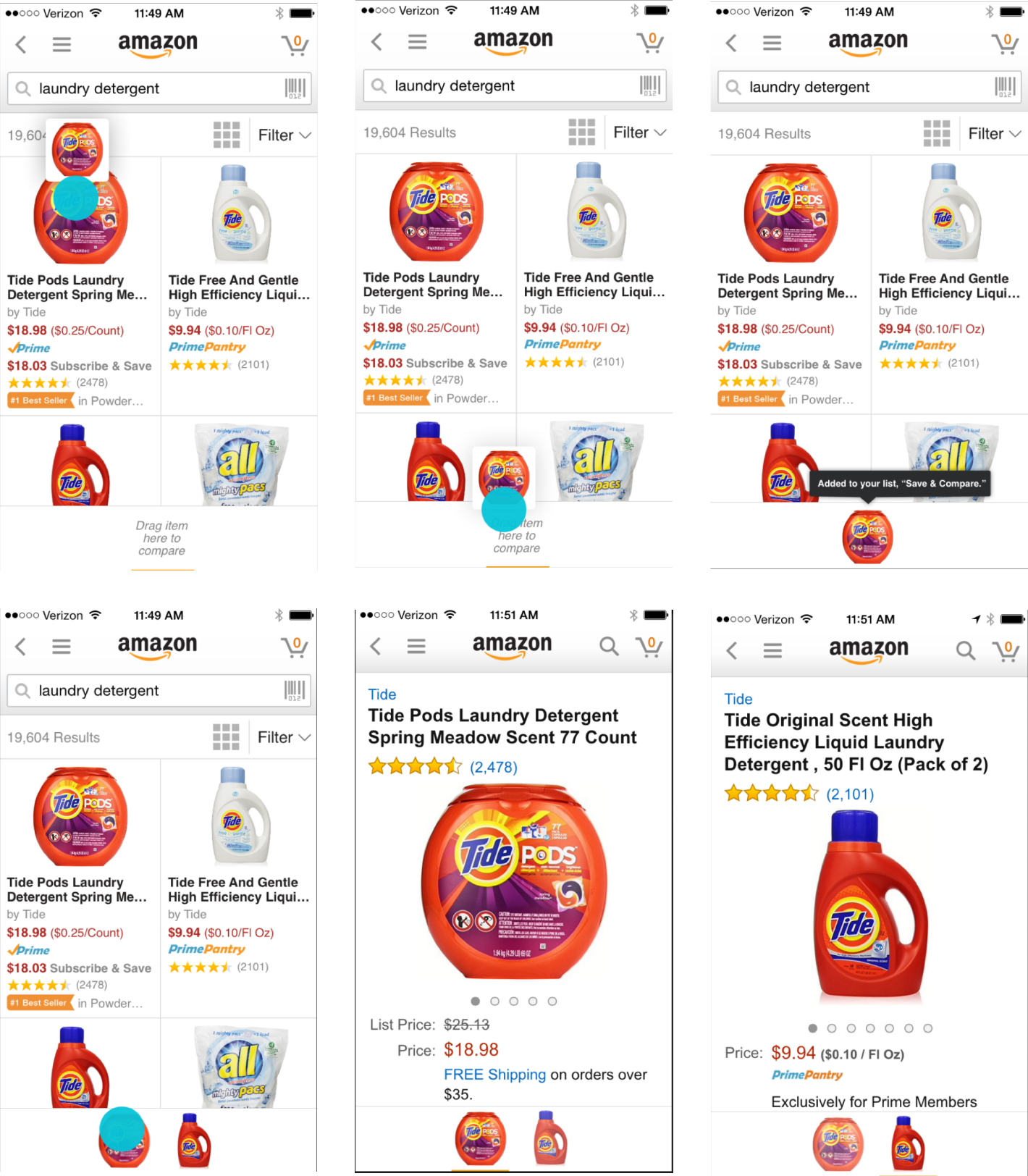
A common pattern in shopping is ping-ponging from one detail page to another to compare items. On desktop, customers bring up screens side by side to compare. We built a feature that lets you collect items of interest in a list and compare them right from search results. Customers could tap on each item they had in their item drawer at the bottom of the screen.

1

2

3

Press and Hold
Drag Item to Tray
List Confirmation
Amazon Mobile App - Collect and Compare Feature Walkthrough 1
Tap Item
Detail Page Shown
Tap other Item

4

5

6

Collect & Compare

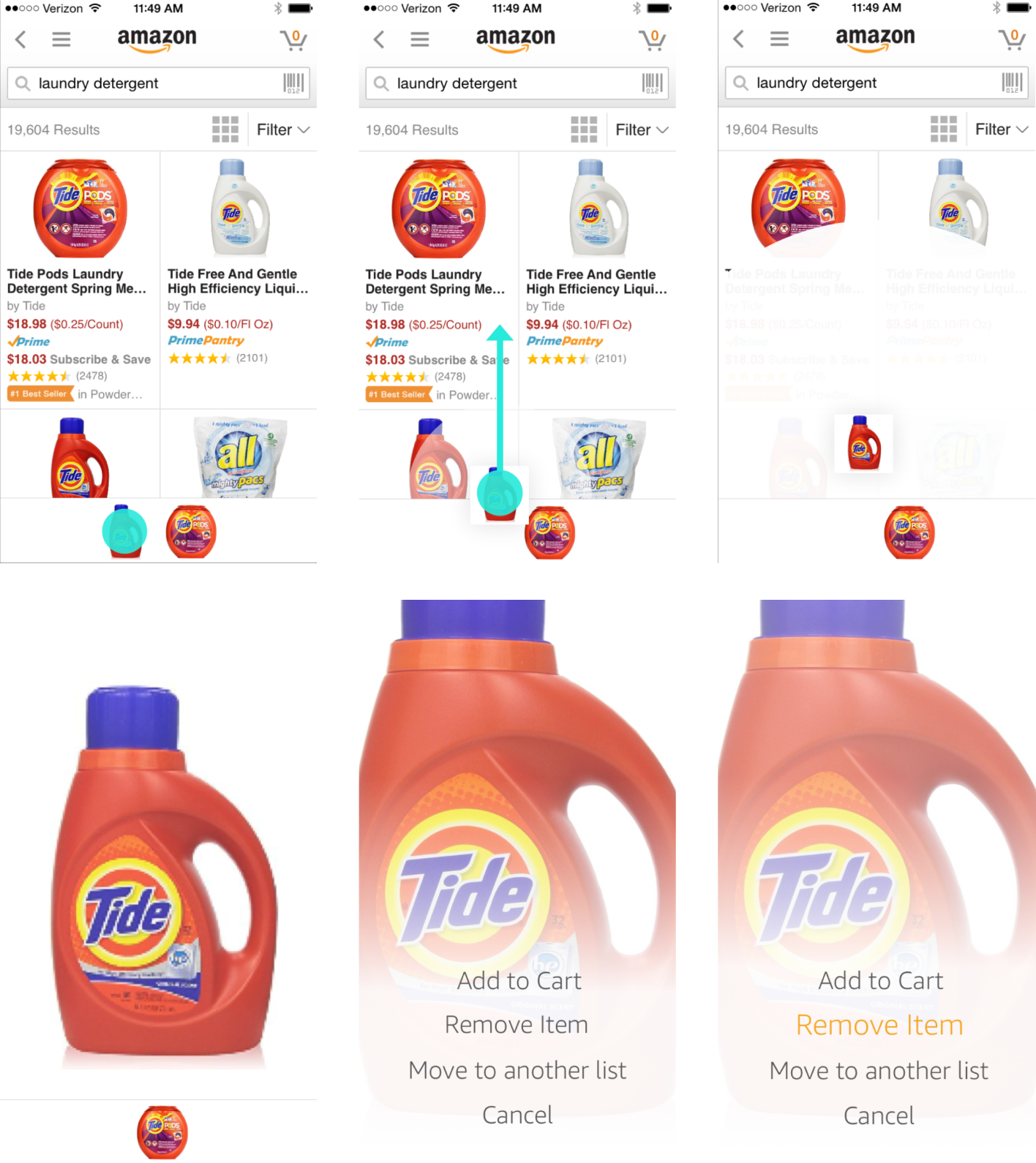
Customers long press on any item they see and then drag it to the bottom of the screen. It let’s you know which list you’ve added the item to.

List View

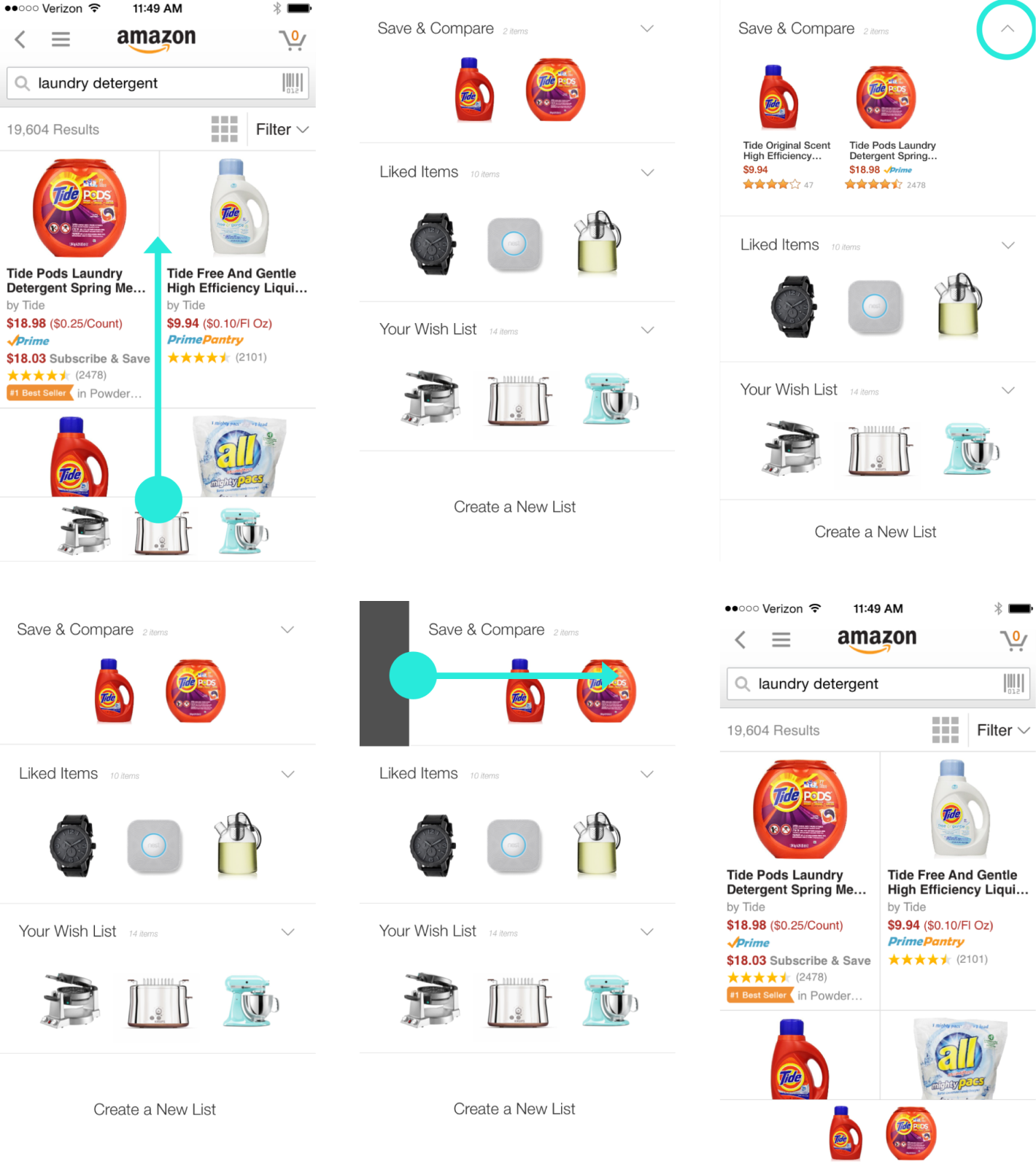
Allowing customers to manage their lists from the product shelf was important. Customers need to be able to shop for different things at once. I designed a swipe up gesture which would reveal a list view.

1

2

3

Drag Bar Up
List View Shows
More Details View
Amazon Mobile App - Collect and Compare Feature Walkthrough 2
Choose List to View
Swipe List Right
List Loads into Bar

4

5

6

1

2

3

Press and Hold
Swipe Up
Product Takes Over Screen
Amazon Mobile App - Collect and Compare Feature Walkthrough 3
Product Focus View
Options Animate In
Select Option

4

5

6

Decision Making

It should be easy to make a decision while shopping on your phone; I designed a single movement pattern to make the process effortless.

On Tablets Too

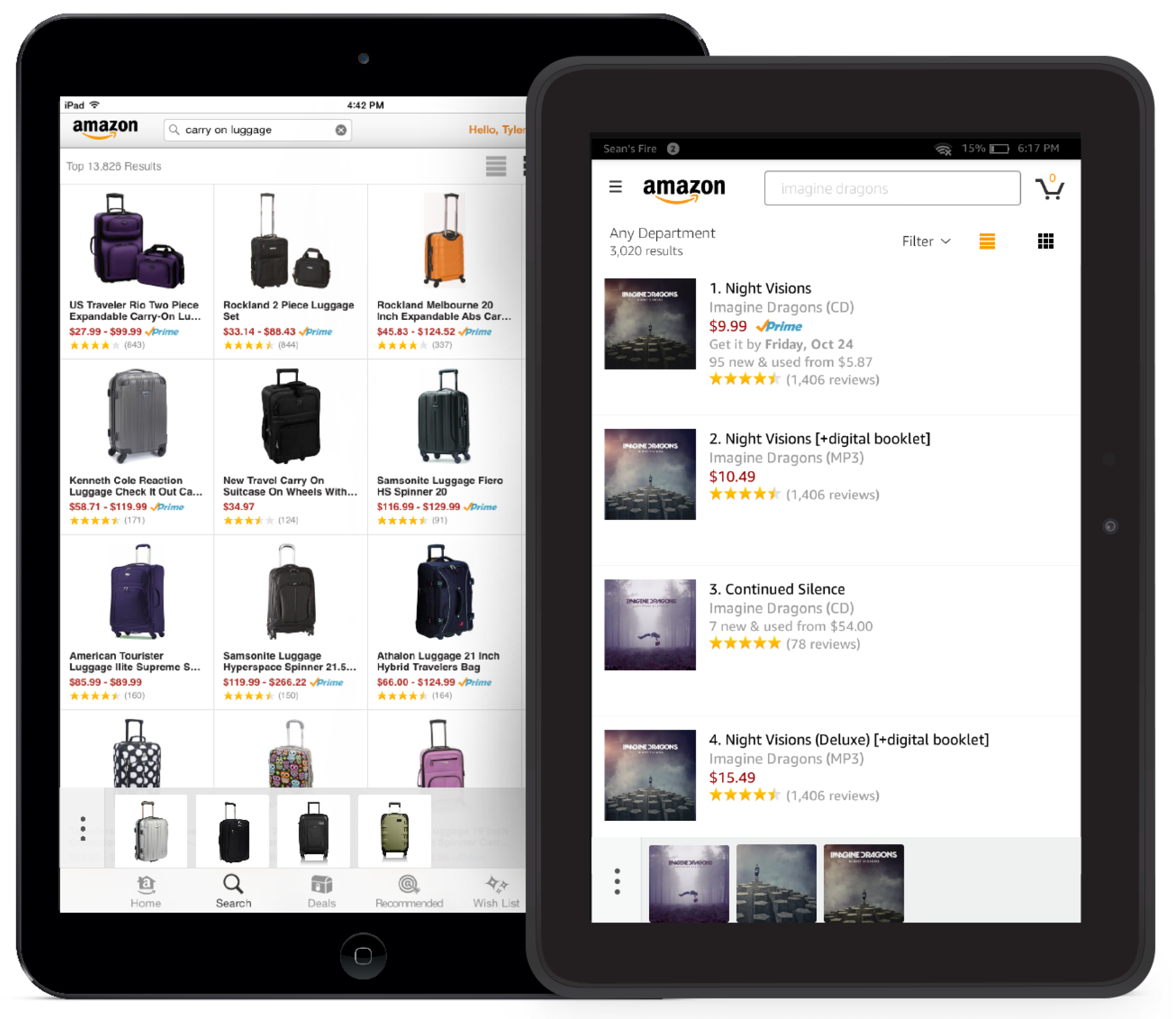
We originally built Item Compare on the Tablet. We went through a series of versions after release.
Amazon Mobile App - Collect and Compare Feature Tablet
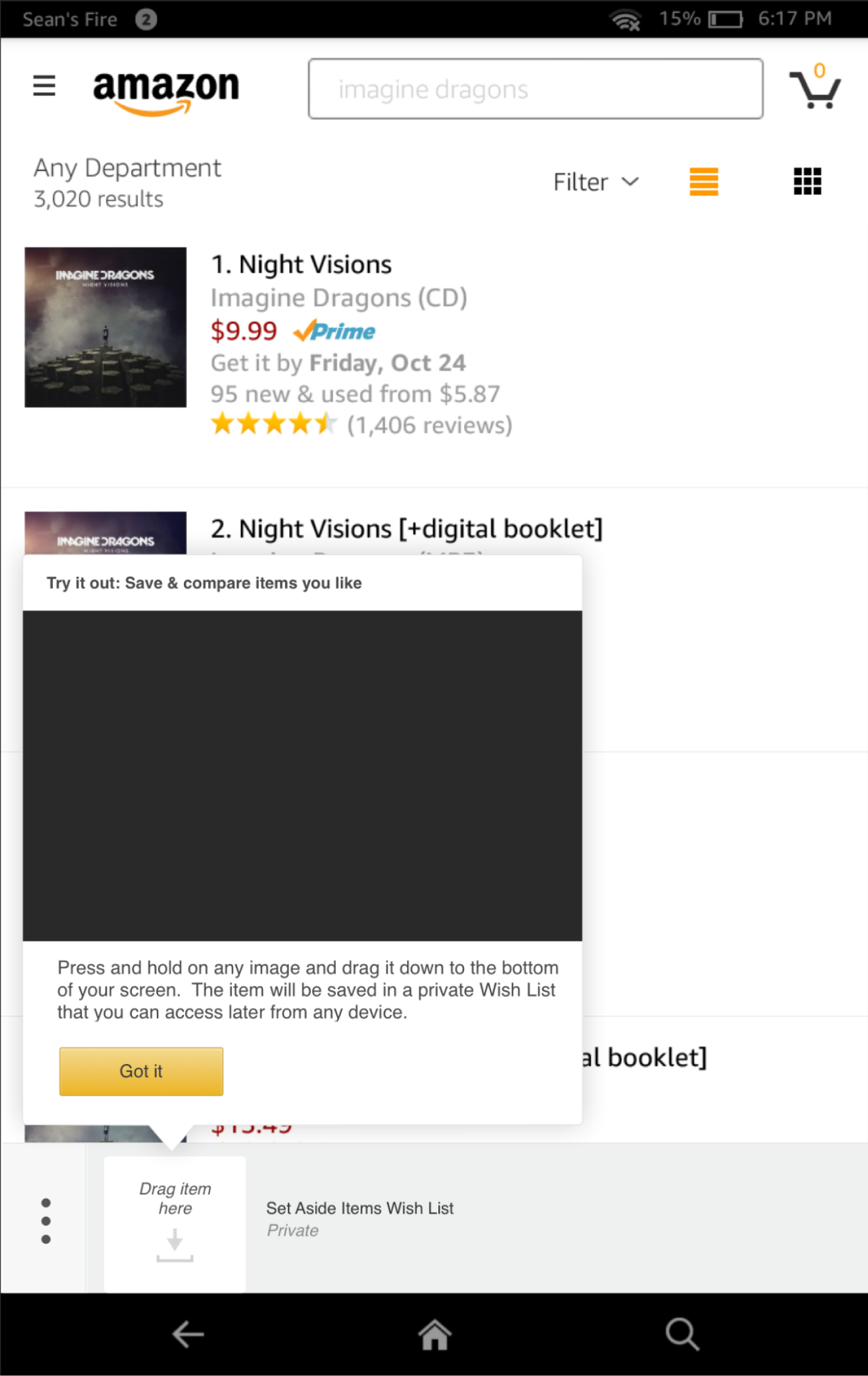
Amazon Mobile App - Collect and Compare Feature Tutorial View

Improved
Discovery

Discoverability was an issue, and it's hard to describe in words how to gesture. I commissioned a camera crew to record videos showing someone doing the press and hold gesture so customers could easily repeat it.

Some Process

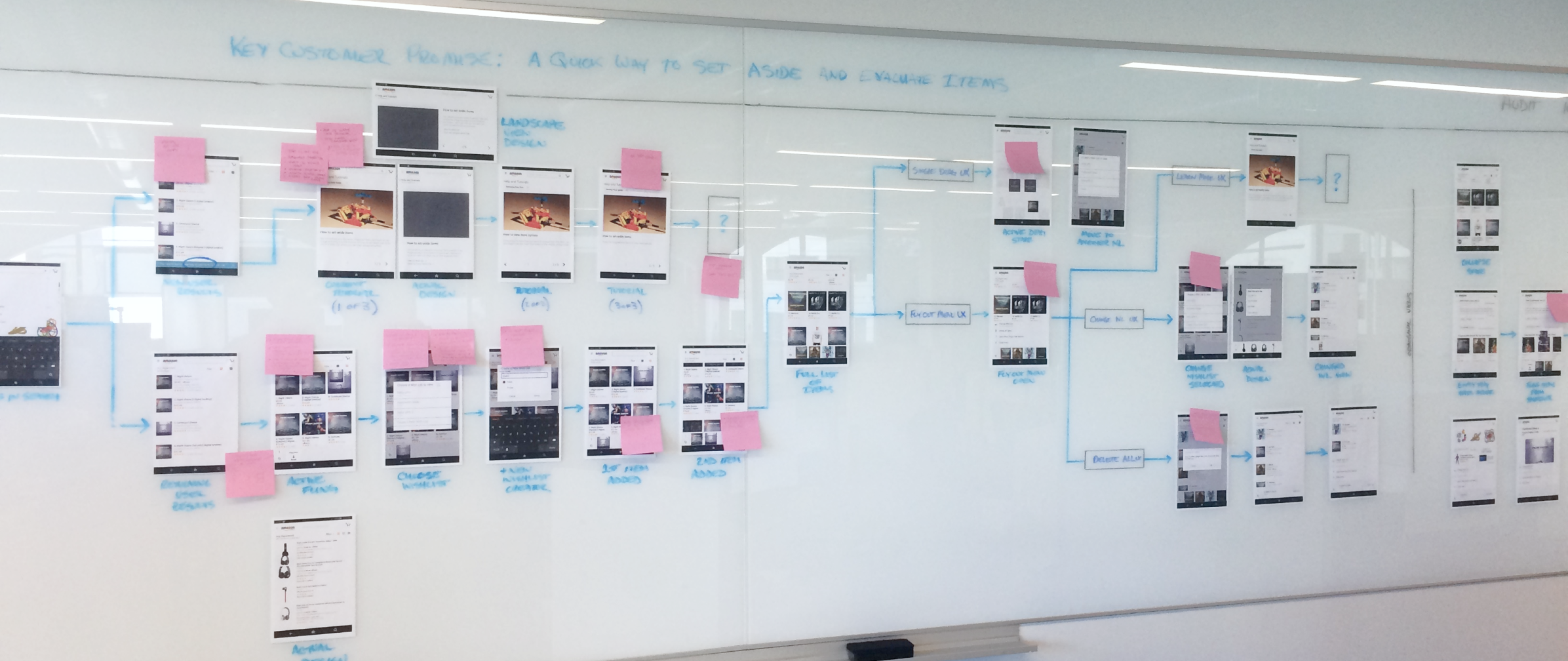
Item Compare was a fun feature to work on and went through many iterations and versions. The engineering team and I would sit at the wall and work together to poke as many holes in it as possible.
Paper Wireframes